- [suspension] (en-US) Windows 7 32Bit+64Bit sp1 ie11 Update 2025.12.10 USB3.0 UEFI2025년 12월 09일
- 디지털 블리자드
- 작성자
- 2025.12.09.:47
[Old version suspension]
더보기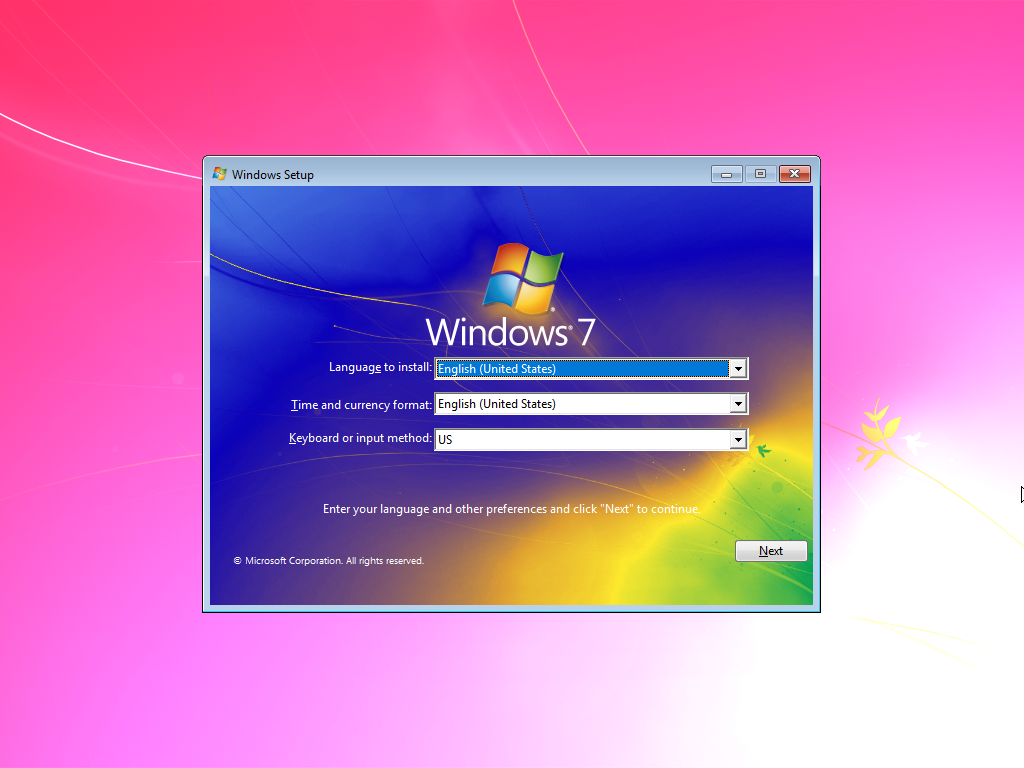
(en-US) Windows 7 32Bit+64Bit sp1 ie11 Update 2025.12.10 USB3.0 UEFI
Hello,
안녕하세요.
I am uploading Windows 7.
윈도우 7을 올려봅니다.
This is an integrated version with updates and drivers added to the original Windows MSDN.
순정 윈도우 MSDN에 업데이트와 드라이버를 추가한 통합본입니다.
The Windows 7 I am uploading is not a tweaked version, but rather an integrated version.
현재 올리는 윈도우 7은 트윅 버전이 아니라 통합 버전입니다.
The universal USB 3.0 and NVMe drivers are included, so most devices can be recognized.
범용 USB 3.0 및 NVMe 드라이버가 포함되어 있어 대부분의 장치를 인식할 수 있습니다.
Support for Windows 7 32-bit was discontinued in October 2024.
윈도우 7 32비트는 2024년 10월에 지원이 중단되었습니다.
Windows 7 64-bit will receive updates until January 2026, after which all support will be completely discontinued.
윈도우 7 64비트는 2026년 1월까지 업데이트가 제공되며, 이후로는 모든 지원이 완전히 종료됩니다.
The USB 3.0 universal driver and NVMe universal driver have been integrated.
With the USB 3.0 universal driver included, most USB 3.0 devices should be recognized.
USB 3.0 범용 드라이버와 NVMe 범용 드라이버가 통합되어 있어, 대부분의 USB 3.0 장치와 NVMe SSD를 인식합니다.
It can also be installed on desktops and laptops with NVMe SSDs.
따라서 USB 3.0 장치와 NVMe SSD가 탑재된 데스크탑과 노트북에도 설치가 가능합니다.
While not guaranteed, it should work with most M.2 SSDs as well.
확실하지는 않지만, 대부분의 M.2 SSD도 인식될 것으로 예상됩니다.
Users with Skylake systems can install it directly without any additional steps.
It can also be installed on Kaby Lake, Coffee Lake systems, and AMD Ryzen (AM4) systems.
스카이레이크 사용자분들께서는 별다른 작업 없이 바로 설치가 가능하고,
카비레이크, 커피레이크 시스템과 AMD 라이젠(AM4) 시스템에서도 설치가 가능합니다.
Although I haven't tested it on AM5 systems, USB devices should be recognized.
I have never tested the installation on systems with Alder Lake or newer processors.
엘더레이크 시스템과 AM5 시스템에서는 설치를 시도해본 적이 없지만, USB 장치는 인식할 가능성이 높습니다.
From what I understand, installing Windows 7 on Alder Lake systems can be challenging.
엘더레이크 시스템에서는 설치가 어려운 것으로 알려져 있습니다.
According to my research, the success rate for installing Windows 7 on Alder Lake is low.
구글링을 통해 확인한 바에 따르면, 엘더레이크에 윈도우 7을 설치하는 성공 확률이 낮다고 합니다.
This issue seems to be related to Intel Rapid Storage Technology or VMD.
도전해보실 분들께서는 다른 사람들의 설치 성공 글을 찾아서 참고하시는 것이 좋을것 같습니다.
I recommend trying to disable Intel VMD in the BIOS.
바이오스에서 VMD를 비활성화 하고 설치를 시도해보세요.
If the motherboard properly supports CSM, booting Windows 7 should be possible.
메인보드에서 CSM을 제대로 지원한다면 Windows 7 부팅이 가능할 것입니다.
Make sure to enable 'CSM with Legacy' or 'CSM with UEFI' in the BIOS.
Windows 7을 설치하기 전에 바이오스에서 CSM을 활성화해 주세요.
Additionally, disable SECURE BOOT and FAST BOOT before attempting the installation.
그리고 SECURE BOOT와 FAST BOOT를 비활성화 해주세요.
I tested burning Windows 7 K 64-bit to a USB using Rufus, and it was possible to install and boot in UEFI mode.
Rufus를 이용해 Windows 7 64비트를 USB에 구운 후 테스트해본 결과, UEFI로 설치 및 부팅이 가능했습니다.
Some laptops do not support UEFI booting for Windows 7.
하지만 몇몇 노트북은 Windows 7 UEFI 부팅을 지원하지 않습니다.
This may be due to the absence of the 'CSM with UEFI' feature.
이유는 아마도 CSM with UEFI 기능이 없어서 UEFI로 부팅되지 않는 것 같습니다.
For your reference, the latest motherboards require the 'CSM with UEFI' feature to be enabled in order to boot Windows 7 in UEFI mode.
참고로 최신 메인보드에서는 CSM with UEFI 기능이 활성화되어 있어야 Windows 7의 UEFI 부팅이 가능합니다.
UEFI booting is only supported in 64-bit on both laptops and desktops.
노트북이나 데스크탑에서 UEFI 부팅은 64비트만 지원합니다.
32-bit systems do not support UEFI booting, so installing a 32-bit version in UEFI mode is not possible.
32비트는 일반 PC에서 UEFI를 지원하지 않기 때문에 UEFI 설치가 불가능할 것입니다.
If you encounter a 0x000000A5 blue screen during installation, you can try one of the following three methods:
설치 중 0x000000A5 블루스크린이 발생하는 경우가 있을 수 있습니다.
이럴 경우 다음 세 가지 방법을 시도해 볼 수 있습니다:
1. Update the BIOS.
BIOS를 업데이트합니다.
2. Disable the ACPI settings in the BIOS.
BIOS에서 ACPI 설정을 비활성화합니다.
3. Boot from a PE (Preinstallation Environment) and replace the acpi.sys file from the Google Drive (refer to the instructions in the compressed file).
PE(Preinstallation Environment)로 부팅한 후, Google Drive에서 제공된 acpi.sys 파일을 압축 파일 내 지침에 따라 교체합니다."
You can try one or more of these methods to successfully install Windows 7.
위의 방법 중 하나 또는 그 이상을 시도해 보시면 Windows 7 설치가 가능할 것입니다.
For users who find patching the acpi.sys file difficult, a separate edition with the patched ACPI has been included in the ISO.
acpi.sys 파일 패치가 어려운 분들을 위해, ACPI 패치 버전을 ISO의 별도 에디션으로 포함시켰습니다.
The configuration consists of the original Windows, updates, and some drivers.
You can consider it as an original version.
구성은 순정 윈도우, 업데이트, 일부 드라이버로, 사실상 순정 윈도우라고 보시면 됩니다.
Automatic activation is not available, so please activate it manually.
자동 인증은 지원하지 않으므로, 직접 인증해 주시기 바랍니다.
I cannot answer any questions regarding illegal activation tools.
불법 인증 툴에 대해 질문하신다면 답변을 드릴 수 없습니다.
Such tools may involve license violations and unlawful activities, so they will not be discussed further in this guide.
불법 인증 툴은 라이선스 위반 및 불법 행위에 해당할 수 있으므로 언급하지 않겠습니다.
Graphics and sound drivers are not integrated, so please install them manually.
그래픽, 사운드 드라이버 등은 통합되어 있지 않았으므로, 직접 설치해 주시기 바랍니다.
If you are unfamiliar with driver installation, I recommend using the EasyDrv7 (Windows 7 version) driver pack, which I have uploaded to Google Drive.
드라이버 설치에 어려움이 있으시다면, 구글 드라이브에 업로드된 EasyDrv7(Windows 7 버전용) 드라이버 팩을 사용해 설치하시길 바랍니다.
This pack includes drivers for RTX 2000 and RTX 3000 series graphics cards.
EasyDrv7(Windows 7 버전용) 드라이버 팩에는 RTX 2000 시리즈 및 RTX 3000 시리즈 그래픽카드의 윈도우 7용 드라이버가 포함되어 있습니다.
The LAN, Wi-Fi, and Bluetooth drivers are partially integrated.
LAN 드라이버, Wi-Fi 드라이버, 블루투스 드라이버가 일부 통합되어 있습니다.
Since the LAN driver is included, the installation process may take longer than usual.
LAN 드라이버가 통합되어 있기 때문에 설치에 시간이 다소 걸릴 수 있습니다.
The installation framework is based on Windows 10.
설치 뼈대는 윈도우 10을 기반으로 사용했습니다.
Because of this, some older systems may not support the installation.
이로 인해 일부 구형 시스템에서는 설치가 지원되지 않을 수 있습니다.
If the installation fails, please proceed with a manual installation.
설치가 실패할 경우 수동 설치를 진행하시기 바랍니다.
For manual installation, the Windows 7 ISO includes the necessary 'imagex' file.
수동 설치의 경우, Windows 7 ISO에는 수동설치에 필요한 'imagex' 파일이 포함되어 있습니다.
For more details, please refer to instructions.pdf in Google Drive.
자세한 내용은 Google Drive의 instructions.pdf를 참조하시기 바랍니다.
Good luck, and thank you!
행운을 빕니다, 감사합니다!
- Integrated List
Integrated updates up to December 10, 2025 (64Bit)
Integrated updates up to October 10, 2024 (32Bit)
Internet Explorer 11
.NET Framework 4.8
DirectX End-User Runtimes (June 2010)
Visual C++ Redistributables
Supermium web browser (Chromium-based) (138.0.7204.295 R7)
7-zip (25.01)
- List of Updates Not Included
KB4493132 (Windows 7 SP1 End of Support Notification)
KB4524752 (Windows 7 SP1 End of Support Notification)
KB4567409 (Microsoft Edge)
KB5001027 (Microsoft Edge)
- Included Editions
- Starter x86
- Home Basic x86
- Home Premium x86
- Professional x86
- Ultimate x86
- Enterprise x86
- Home Basic x64
- Home Premium x64
- Professional x64
- Ultimate x64
- Enterprise x64
File Size
(en) Windows 7 32Bit sp1 ie11 Update 2025.12.10 USB3.0.iso (5.02 GB)
(en) Windows 7 64Bit sp1 ie11 Update 2025.12.10 USB3.0 UEFI ACPI Patch.iso (4.45 GB)
-Download-
Google Drive Link
- (Multi-Language) Windows 7 64Bit -
https://intelhurricane.tistory.com/118- Korean (kor) version of Windows 7 (한국어 버전) -
https://intelhurricane.tistory.com/116- (kor) SAMSUNG, LG OEM Windows7 -
https://intelhurricane.tistory.com/117"최신 윈도우7 통합본 다운로드 링크"
"Download link for the latest Windows 7 integrated version"
(Multi-Language) Windows 7 32Bit+64Bit
(en-US) Windows 7 32Bit+64Bit
(kor) Windows 7 K 32Bit + 64Bit
(kor) Windows7 K SP1 OEM (SAMSUNG, LG)
https://intelhurricane.tistory.com/category/Windows7
'Windows7' 카테고리의 다른 글
다음글이전글이전 글이 없습니다.댓글
스킨 업데이트 안내
현재 이용하고 계신 스킨의 버전보다 더 높은 최신 버전이 감지 되었습니다. 최신버전 스킨 파일을 다운로드 받을 수 있는 페이지로 이동하시겠습니까?
("아니오" 를 선택할 시 30일 동안 최신 버전이 감지되어도 모달 창이 표시되지 않습니다.)